 Appmost
Appmost vs Figma, Uizard and Mowgli
Figma, Uizard, Mowgli and Appmost all help teams move faster from an idea to something visible. The right choice depends on whether you need design collaboration, quick editable mockups, a whole-product AI design canvas, or a native app project that can move toward iOS and Android builds.
Short answer
Choose Figma when the team already designs, comments and hands off work in Figma. Choose Uizard when you need quick AI-generated mockups from prompts or screenshots. Choose Mowgli when you want an AI design canvas that can explore whole product flows and export design assets. Choose Appmost when the prototype needs to stay close to a native app structure, local AI-agent editing, app flow review and build planning for iOS and Android.
How the tools frame the work
Figma is strongest as a collaborative product design environment. Its AI tools span Figma products, and Figma Make is positioned as a way to turn ideas and existing designs into prototypes. That makes it useful when design systems, team review and design-to-development handoff are already centered on Figma.
Uizard is built for speed at the mockup stage. Its Autodesigner can generate multi-screen editable mockups from text prompts, and its screenshot scanner can turn app or web screenshots into editable designs. It is a good fit when a team needs a visual draft quickly and is still deciding what the interface should be.
Mowgli focuses on AI-generated product context and richer design coverage. Its positioning centers on a canvas for mobile, web and desktop apps, with full-product design generation, prototyping, Figma import and export options. That makes it more ambitious than a single-screen mockup workflow.
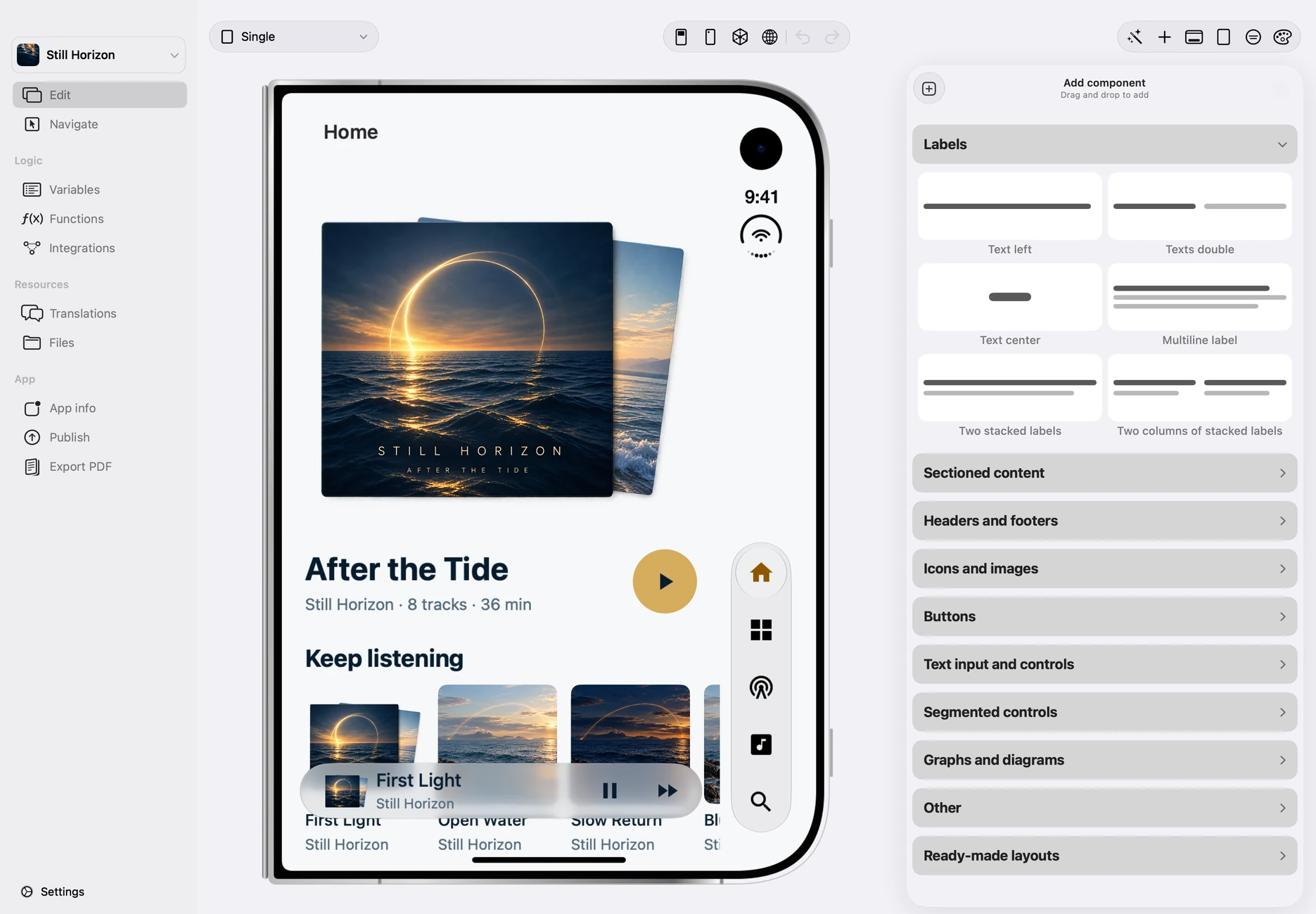
Appmost takes a narrower route: mobile app projects, local MCP, native preview and a path toward installable builds. It is less about replacing a mature design system and more about keeping screens, flow and build decisions in the same native-app workspace.
Comparison table
| Question | Appmost | Figma | Uizard | Mowgli |
|---|---|---|---|---|
| Best starting point | Native app project and mobile flow | Team design file or existing design system | Prompt, screenshot or blank canvas | Product idea, spec or imported design |
| Main strength | App structure, local agent editing and build planning | Collaboration, design systems and broad product design workflow | Fast editable mockups and screenshot-to-design work | Whole-product AI design generation and prototype coverage |
| Mobile focus | iOS and Android app projects | Broad interface design across products and surfaces | Mobile, web, tablet and general UI mockups | Mobile, web and desktop app design |
| Prototype depth | Screen flow review and preparation for native builds | Interactive prototypes and Figma Make prototypes | Editable mockups and collaborative UI design | Interactive prototypes with navigation, transitions and export |
| When it is weaker | Large design-system governance across many designers | When the next artifact must be a native app build plan | When deep app structure and release planning matter more than a mockup | When the team only needs a simple static UI draft |
Use Appmost when the prototype must answer app questions
A mobile app prototype often fails for structural reasons, not visual reasons. The entry point is unclear, a back path is missing, permission states are ignored, or the flow cannot become an actual build without another round of interpretation. Appmost is designed for that moment: review screens, paths, state coverage and build readiness inside the project.
A useful Appmost prompt names the user, the first journey, the platform assumptions and the review target:
Field team app: Create an iPhone and Android prototype for field technicians who document finished jobs. Include job list, job detail, photo note, material usage, supervisor review, submitted state and one offline warning.
Subscription tracker: Generate a mobile app project for freelancers tracking subscriptions. Include onboarding, monthly overview, subscription detail, renewal alert, add subscription, settings and empty states.
Clinic check-in: Create a mobile check-in flow with identity confirmation, appointment details, symptoms form, insurance card capture, queue status and help. Keep the path calm and readable.
Use Figma when collaboration is the center
Figma is usually the safer choice when the team already has shared components, multiple designers, design reviews, comments, libraries and developer handoff in Figma. Its AI layer can help generate, edit and prototype inside that environment, but the core value is still the shared design workspace.
If the question is "how should this fit our design system?", start in Figma. If the question is "can this mobile flow become an app build?", Appmost is usually a better first review surface.
Use Uizard for fast early mockups
Uizard is useful when the team needs to get from a rough product idea or screenshot to an editable mockup quickly. That is valuable for workshops, internal buy-in, founder exploration and early UX discussion before the app structure is known.
The tradeoff is depth. A mockup can make a direction visible, but it may not expose release risks, missing states or app navigation problems. When those questions matter, move the work into a flow review before treating the mockup as a build plan.
Use Mowgli for wider AI design exploration
Mowgli is closer to a whole-product AI design canvas. Its official positioning covers full app or feature design generation, moodboards, prototyping, Figma import, chat editing, export to code and responsive adaptation. That makes it appealing when a team wants broader AI design exploration before narrowing the app direction.
Appmost overlaps with Mowgli around mobile app structure, AI-assisted design and flow review, but the product angle is different. Appmost keeps the work close to a local native app project and the build path; Mowgli emphasizes broader design generation and export.
A practical decision path
- Start with the artifact you need next. Choose a design file, editable mockup, product design canvas or native app project before choosing the tool.
- Separate visual approval from build readiness. A good-looking screen set still needs navigation, state and release checks.
- Keep one owner per question. Let Figma own design-system collaboration, Uizard own quick mockups, Mowgli own broad AI design exploration, and Appmost own native app flow and build planning.
- Move artifacts when the question changes. A mockup can move into Appmost when it becomes an app-flow question. An Appmost result can move back into a design review when the visual system needs deeper critique.
Sources
This comparison is based on the official product documentation and pages for Figma AI and Figma Make, Uizard UI design, Mowgli and Mowgli prototyping, plus Appmost's own documented workflows.